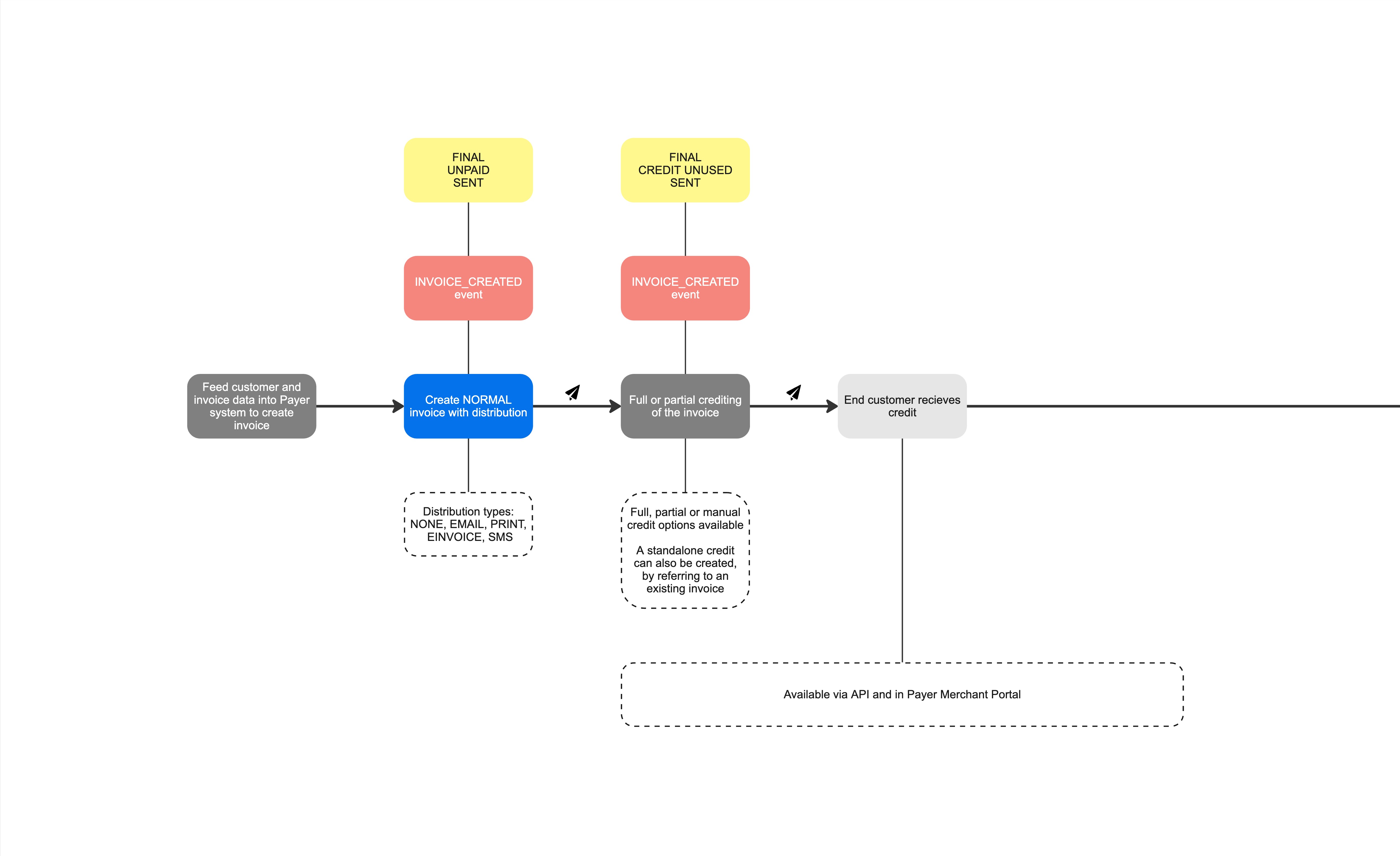
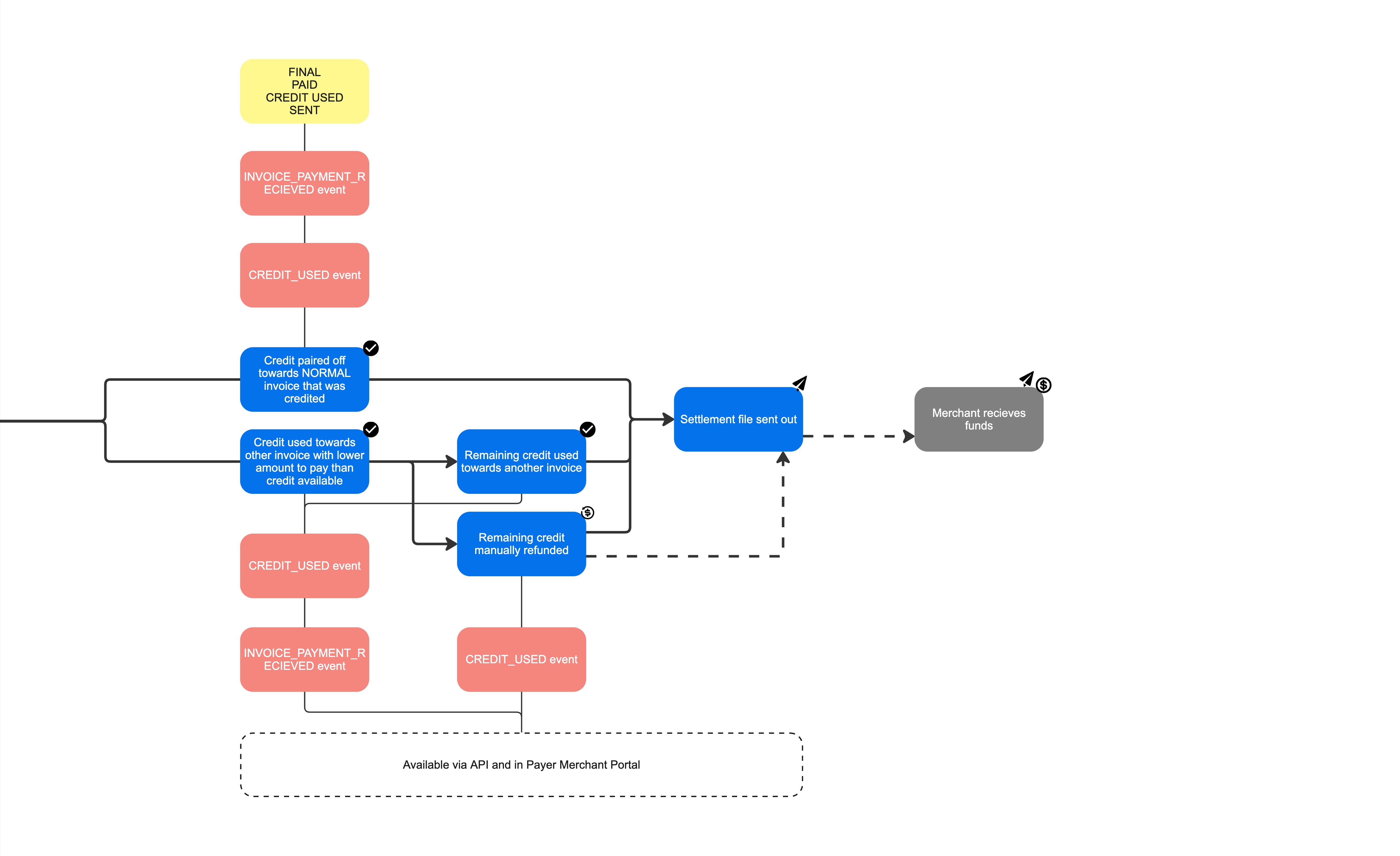
Creating an Invoice will result in a Credit Invoice/Credit Note that the End-User can use for coming invoices (if they have paid the credited Invoice) or to request a refund.
Integration guide
Step 1 - Prerequisites
A prerequisite to crediting an invoice is to create the original invoice. See [B2B Invoice - Creating Invoices](/payer-docs/invoice#Creating Invoices)
Step 2 - Crediting an invoice
There are multiple ways of crediting an invoice.
crediting a full invoice
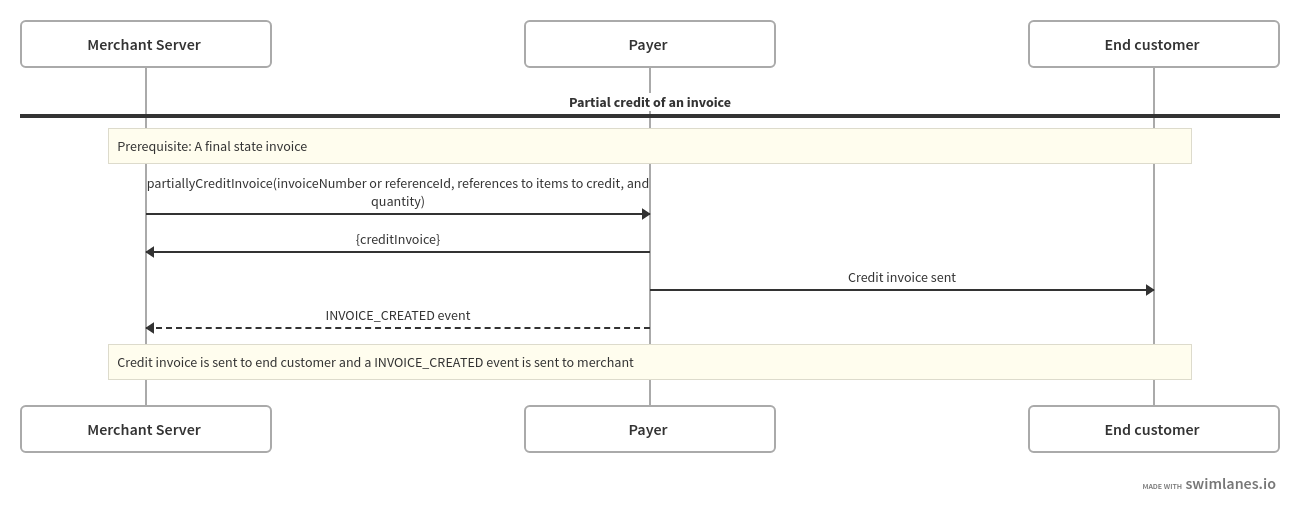
partially crediting an invoice (references to specific items on the invoice)
manually crediting an invoice (any amount < the full invoice amount)
creating a standalone credit (a credit with no underlying invoice, only referenced to an existing invoice for customer data collection)
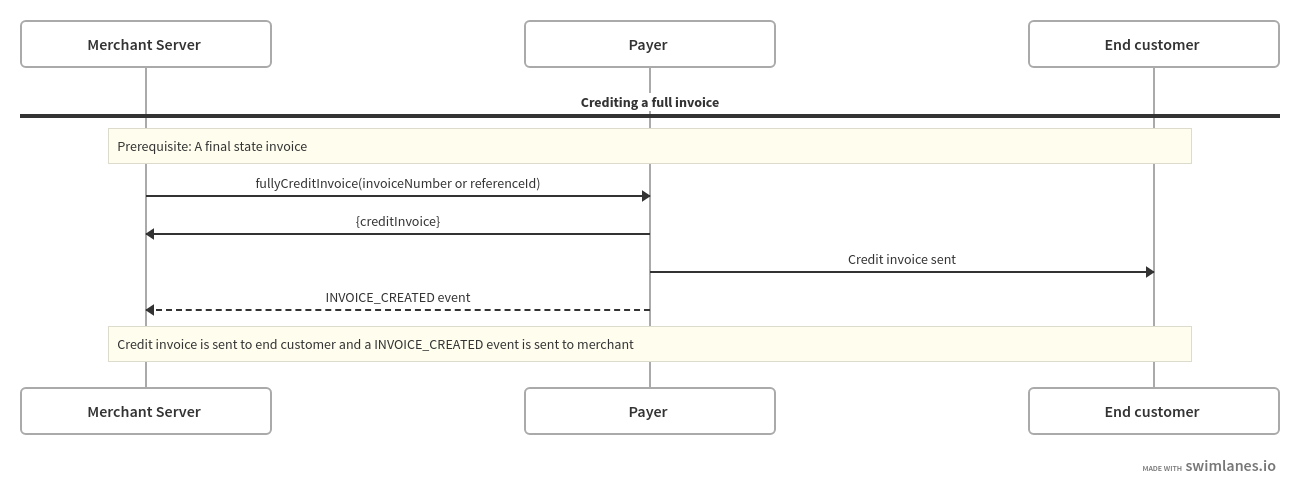
You will receive the invoice data in the response. The credit invoice will also be sent to the merchant using the same delivery method as the original invoice.
Crediting a full invoice. Can be done via the portal and via API:
Partially crediting an invoice. Can be done via API:
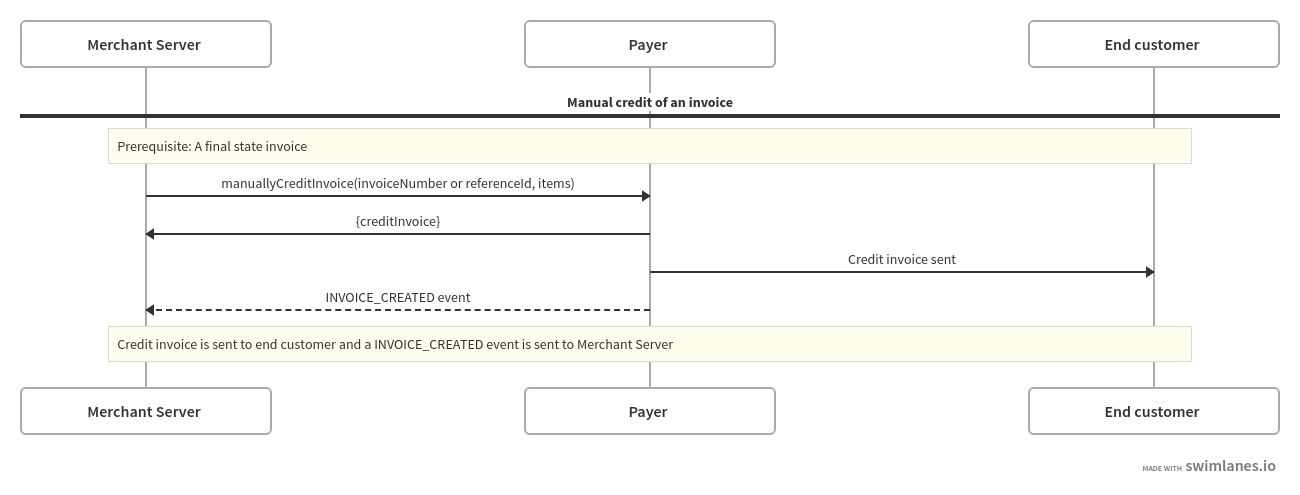
Manually crediting an invoice. Can be done via the portal and via API:
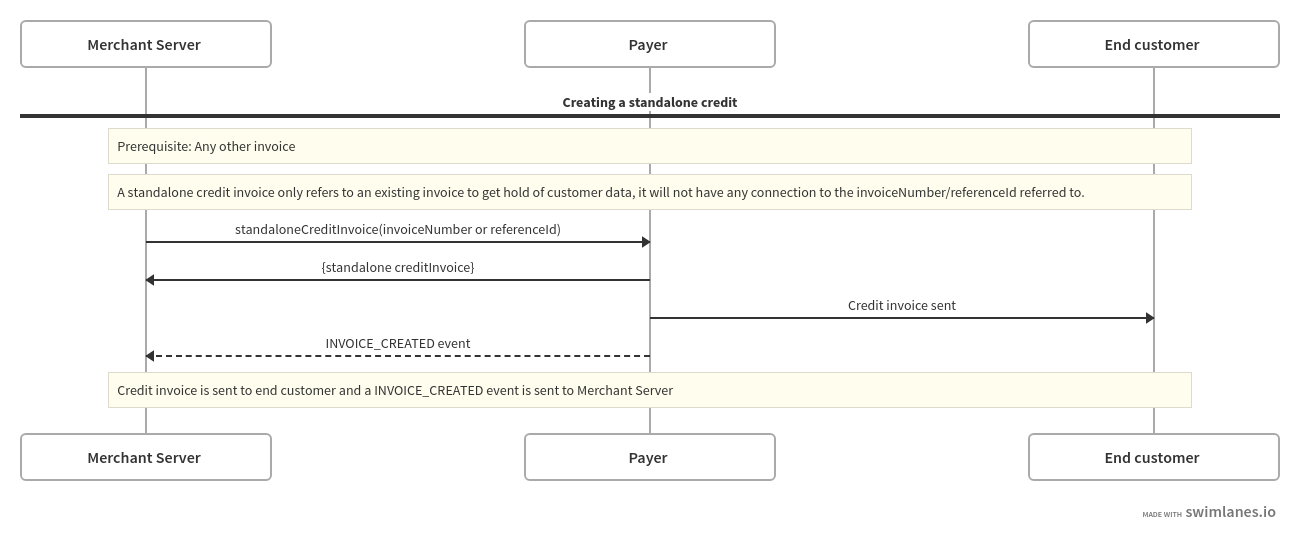
Creating a standalone credit. Can be done via the portal and via API:
Crediting an Invoice - Flow
See visualization below of the high-level flow for a CREDIT note/invoice, from creation to utilization of the credit invoice.